
Claude-Driven Workflows for Xero

You’re probably losing 10 to 15 hours a week just keeping Xero clean and updated.

More transactions = more manual load.
We connect Claude to your Xero setup to quietly handle the repetitive finance work so your team stops wasting hours on invoices, reconciliation, and payment follow-ups every week.

Start Here

The Xero + Claude Setup Guide

Complete walkthrough to set up full read and write access yourself, inside Claude Cowork.

$299

AUD

· instant delivery

Not confident doing it yourself? Your $299 is fully credited toward the done-for-you setup below.

Done for you

We Configure Everything

One onboarding call. We handle the full setup and hand it over tested and ready to use.

$1,990

AUD

· live in 48hrs

Bought the guide already? Your $299 is credited — you pay $1,690.
Why This Exists

Read-only Xero access is already possible. This goes further.

The official Xero MCP server is free and public. A technical user can set it up in an afternoon. But read-only is only half the picture and most accountants aren't technical users.

Already available free

Read-only access

Requires OAuth setup, Node.js, config file editing. Technical users can do it. Most accountants won't get there.

What this connector adds

Full read + write access

The done-for-you option handles it for you. Either way, Claude is fully connected in both directions.

What Claude Handles in the Background

Six Xero Workflows Claude Runs for You.

Less time buried in admin. More time focusing on cash flow, strategy, and real financial decisions.

01 — Invoices

Create and update invoices

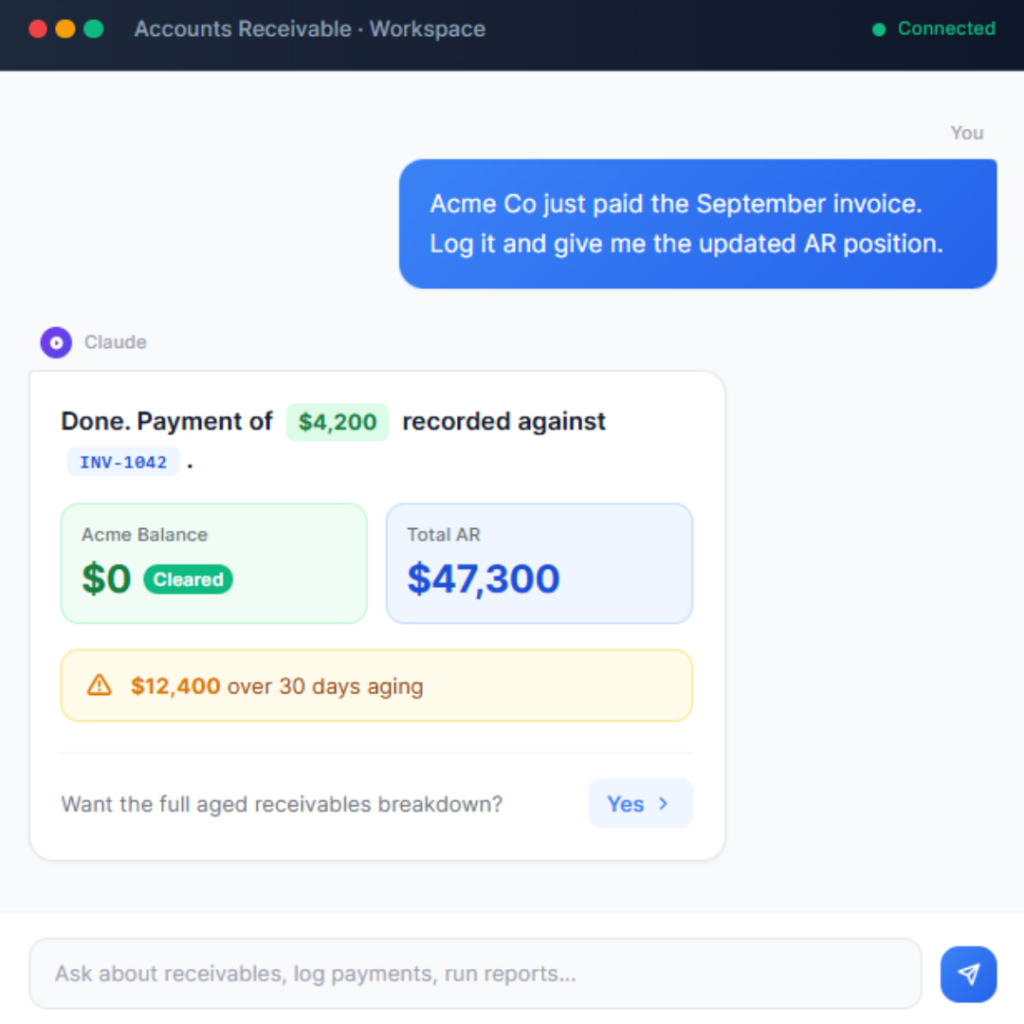
"Invoice Acme Co $4,200 for consulting, due in 30 days." Claude writes it to Xero.

02 — Transactions

Log bank transactions

Receive money, spend money, assign to accounts, without leaving Claude.

03 — Journals

Post manual journals

Claude proposes the entry, you confirm, it posts to Xero with full narration.

04 — Contacts

Create and update contacts

Add new clients to Xero from the conversation. No tab switching required.

05 — Payments

Record payments

Mark invoices as paid, allocate to the right bank account, keep Xero current.

06 — Reports

Query and summarise

P&L, balance sheet, aged receivables, cash position. Ask in plain English.

Choose Your Automation Path

How Do You Want Your Xero Automated?

Choose how you want to get there...either way, you end up with automated finance workflows that save time and reduce operational load.

start here

The Xero + Claude Setup Guide

A complete, honest walkthrough of setting up full read and write access between Claude and your Xero inside Claude Cowork. Every step documented, with real troubleshooting for when things don't go to plan.

$299

One-time · instant delivery

If you buy this and decide you'd rather have us do it, the full $299 comes off the DFY price. No risk on the $299.

Delivered as a PDF guide — instant download on purchase.

done for you

Full Setup — We Handle Everything

We configure your full read and write Xero MCP connector, test every operation, and hand it over ready to use. One call with us, 48 hours, and Claude is live inside your Xero.

$1,990

One-time · live within 48hrs of onboarding call

Bought the guide already? Your $299 is credited — you onyl pay $1,690 to upgrade to DFY.

After payment, you’ll receive a calendar link to book your 30-minute onboarding call.

The process

How the done-for-you setup works

95% of clients are live within 48 hours of the onboarding call.

01 —

Purchase and book

Complete payment and book a 30-minute onboarding call at a time that suits you.

02 —

Onboarding call

We walk through your Xero setup and handle the OAuth authorisation together. That's the one step that needs you.

03 —

We build and test

We configure the full connector — read and write — and verify every operation against your live Xero data.

04 —

You're live

We deliver your configuration and prompt library. Open Claude Cowork and start querying and updating Xero.

Is This the right option For You?

Built for Xero advisors who use Claude Cowork.

Not for you if —

You don't use Claude Cowork. The connector is built for Cowork's MCP integration. Other Claude interfaces are not currently supported.

You stay in control

Claude proposes every write operation before executing. You confirm, then it acts. Nothing writes to Xero without your explicit sign-off.

FAQs

Common questions.

Will Claude just write things to Xero without asking me?

No. Every write operation is proposed first. Claude tells you exactly what it's about to do and waits for your confirmation before executing. You stay in control of every action.

Is my client data secure?

Yes. The connector uses Xero's official OAuth2 authentication. Your credentials are never stored by us. Authentication happens directly between your machine and Xero.

Do I need to be technical to use the guide?

The guide is written for accountants, not developers. That said, it does involve terminal commands and config file editing. If you hit a wall, your $299 is fully credited toward the done-for-you service.

How long until I'm set up with the done-for-you option?

The onboarding call is 30 minutes. Most clients receive their completed, tested configuration within 24–48 hours after that call.

What support is included?

30 days of email support post-delivery on the done-for-you service. If something breaks or Xero pushes an update that affects the connection, we'll sort it.

Get Started

Start with the guide. Or let us handle it.

Turn slow, manual Xero processes into automated workflows that run continuously without effort.